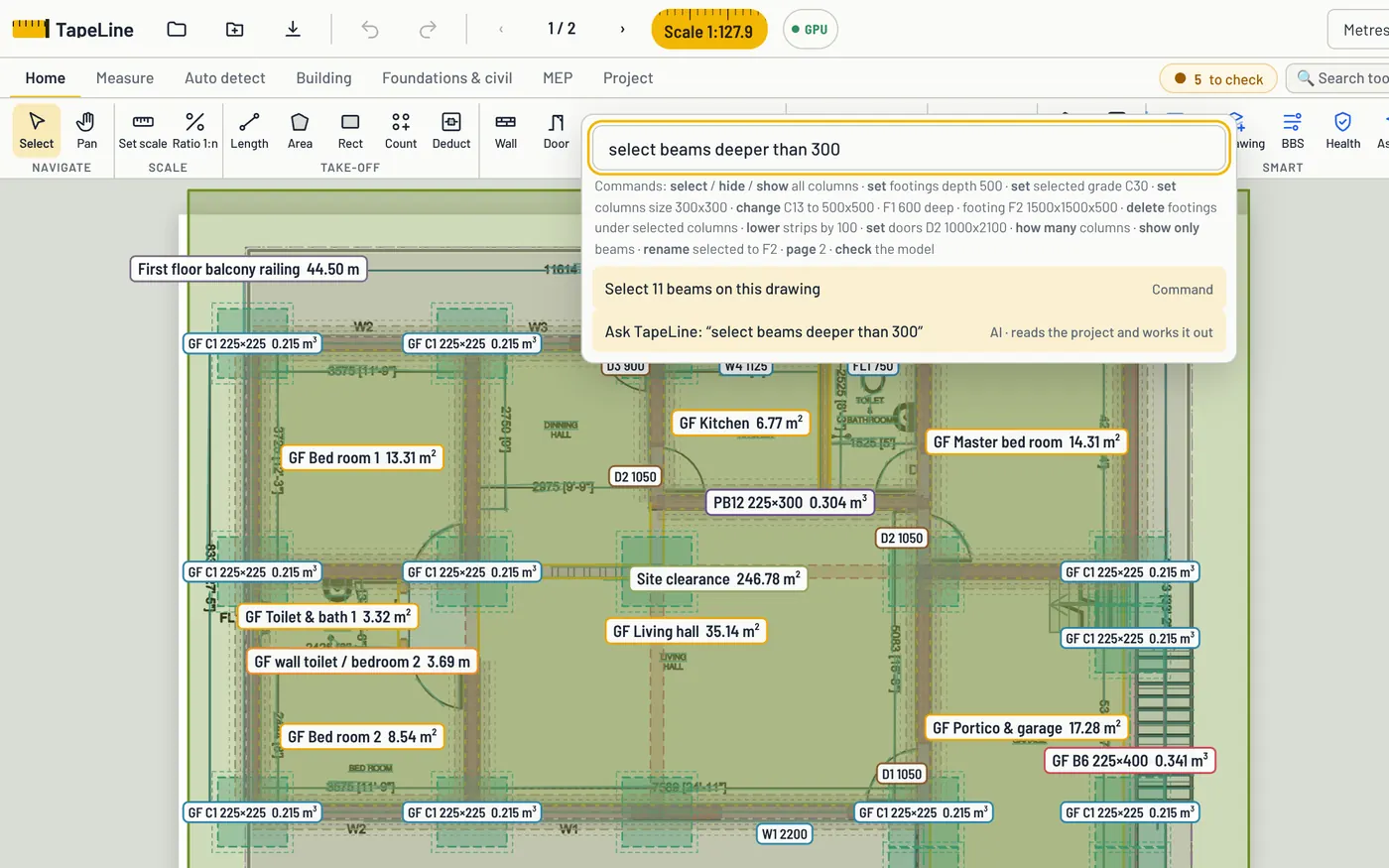
Ribbon and commands
Works like the CAD tools you know
A ribbon with Home, Measure, Auto detect, Building, Foundations and MEP tabs. Press Ctrl+K and type what you want, such as “select beams deeper than 300” or “set footings depth 500”.
TapeLine software solution by Natha & Co
TapeLine turns drawings into measured lengths, areas and counts, then into a priced bill of quantities.
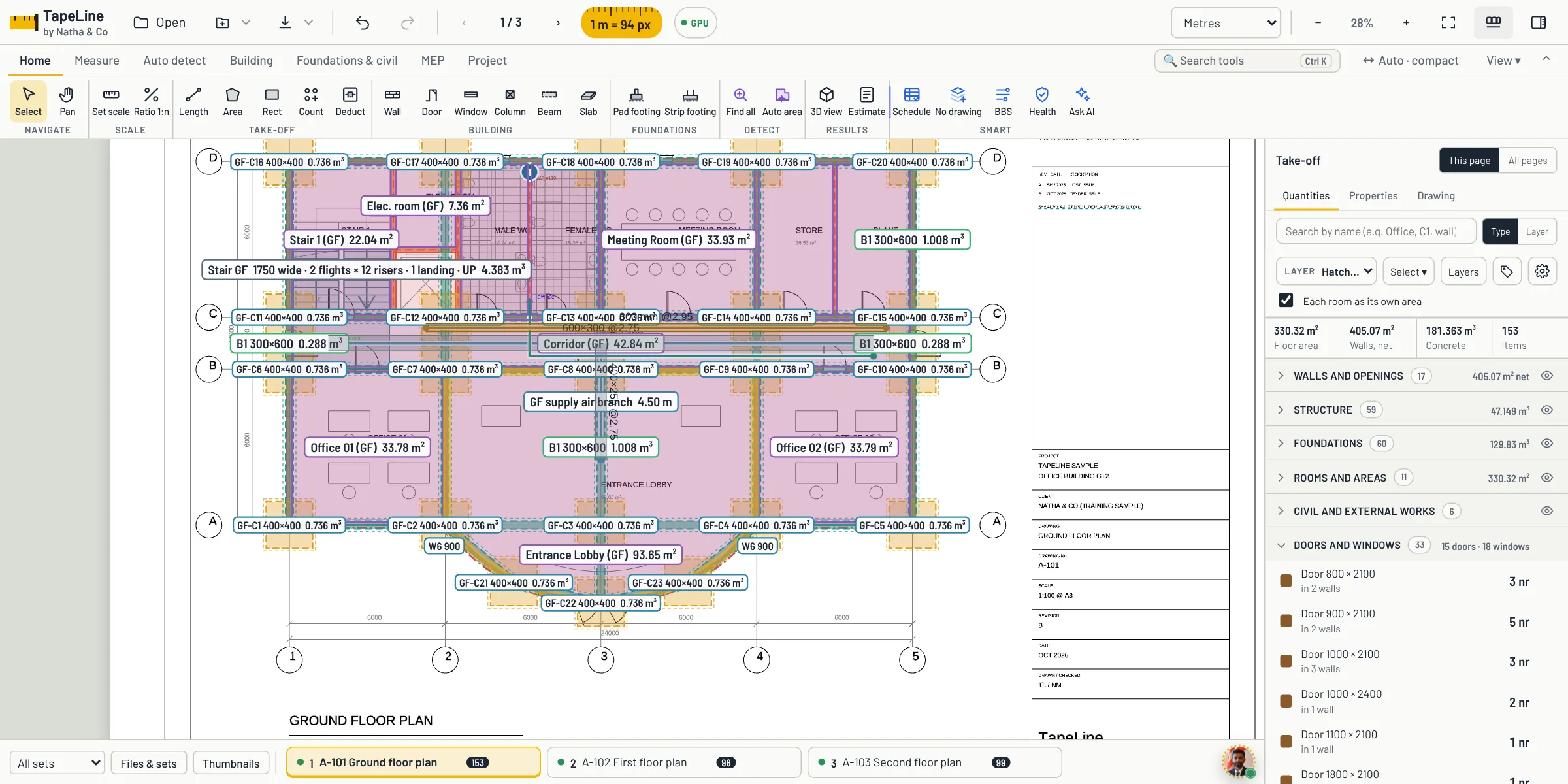
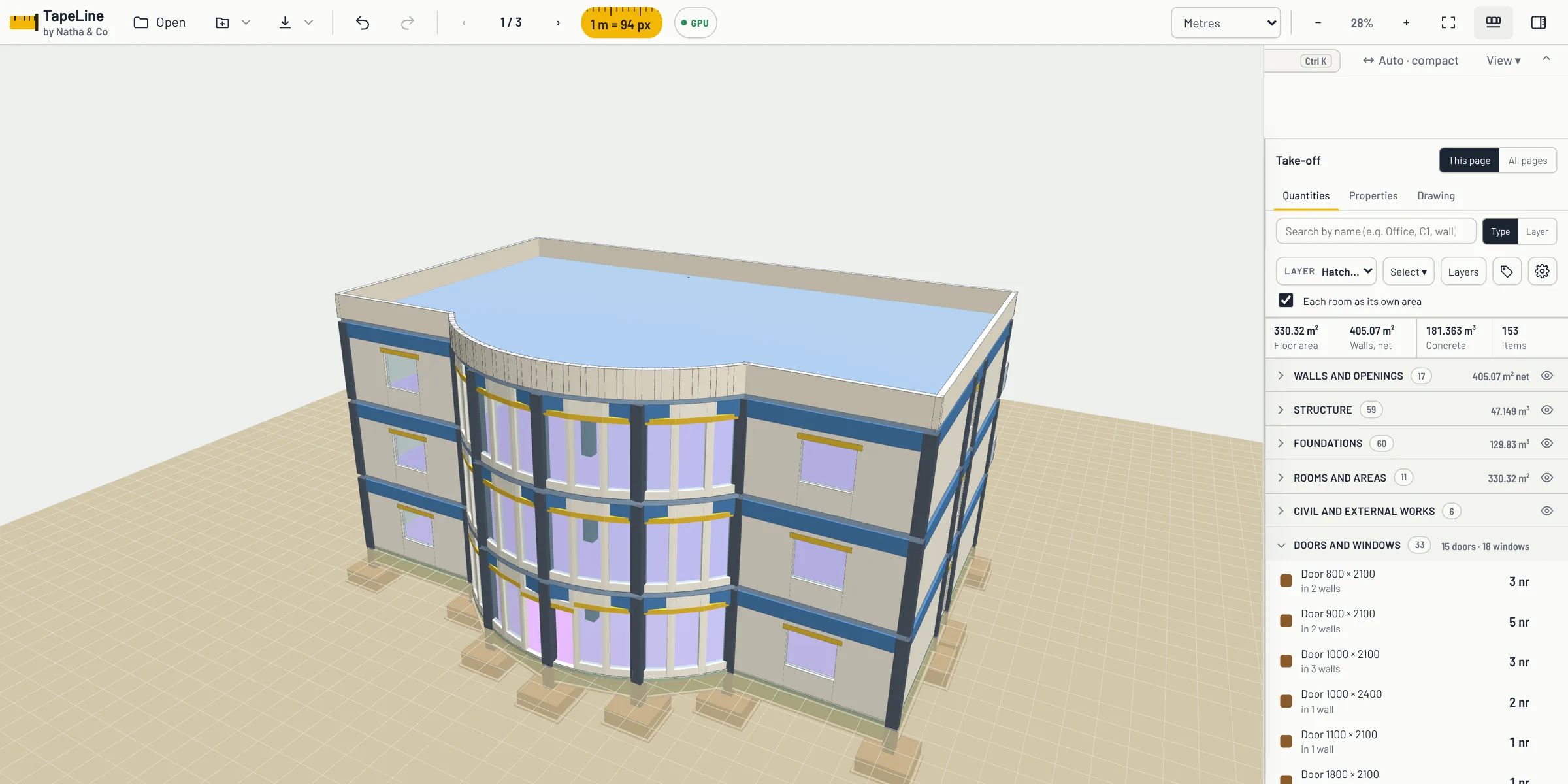
The real program: measure the plan with a ribbon of tools you already know, then see the same building in 3D, with its curved glass front, balconies and every column, beam and slab.
The tools an estimator reaches for, in one place.
Lengths, areas and counts, taken straight from PDF and CAD drawings, scans and photos.
Calibrate each page. Work in metres, centimetres, millimetres or feet and inches.
Assign drawings to floors and move between pages without losing your place.
Every measurement flows into a BoQ you can review line by line.
Build rates from resources, so prices stay traceable.
Apply OH&P once and see the total update.
Inside TapeLine
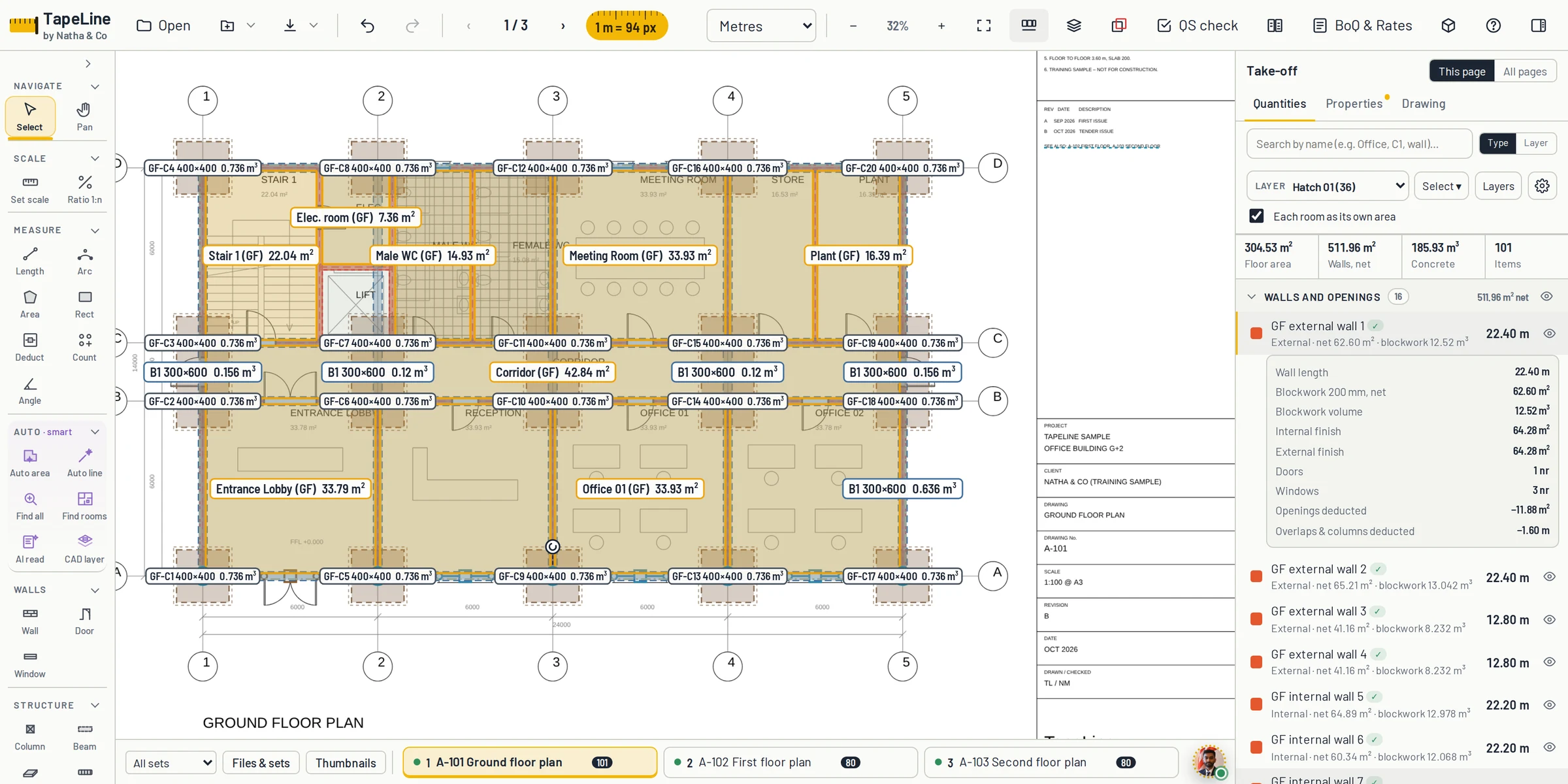
Real screens from the program: walls, structure, 3D, reinforcement and the priced bill, using the sample office that comes with it.
Every wall with its length, net area and blockwork volume. Doors and windows are deducted, internal and external finishes worked out.
New in TapeLine
The latest build, shown on a two-storey house measured from its DXF plans.
A ribbon with Home, Measure, Auto detect, Building, Foundations and MEP tabs. Press Ctrl+K and type what you want, such as “select beams deeper than 300” or “set footings depth 500”.
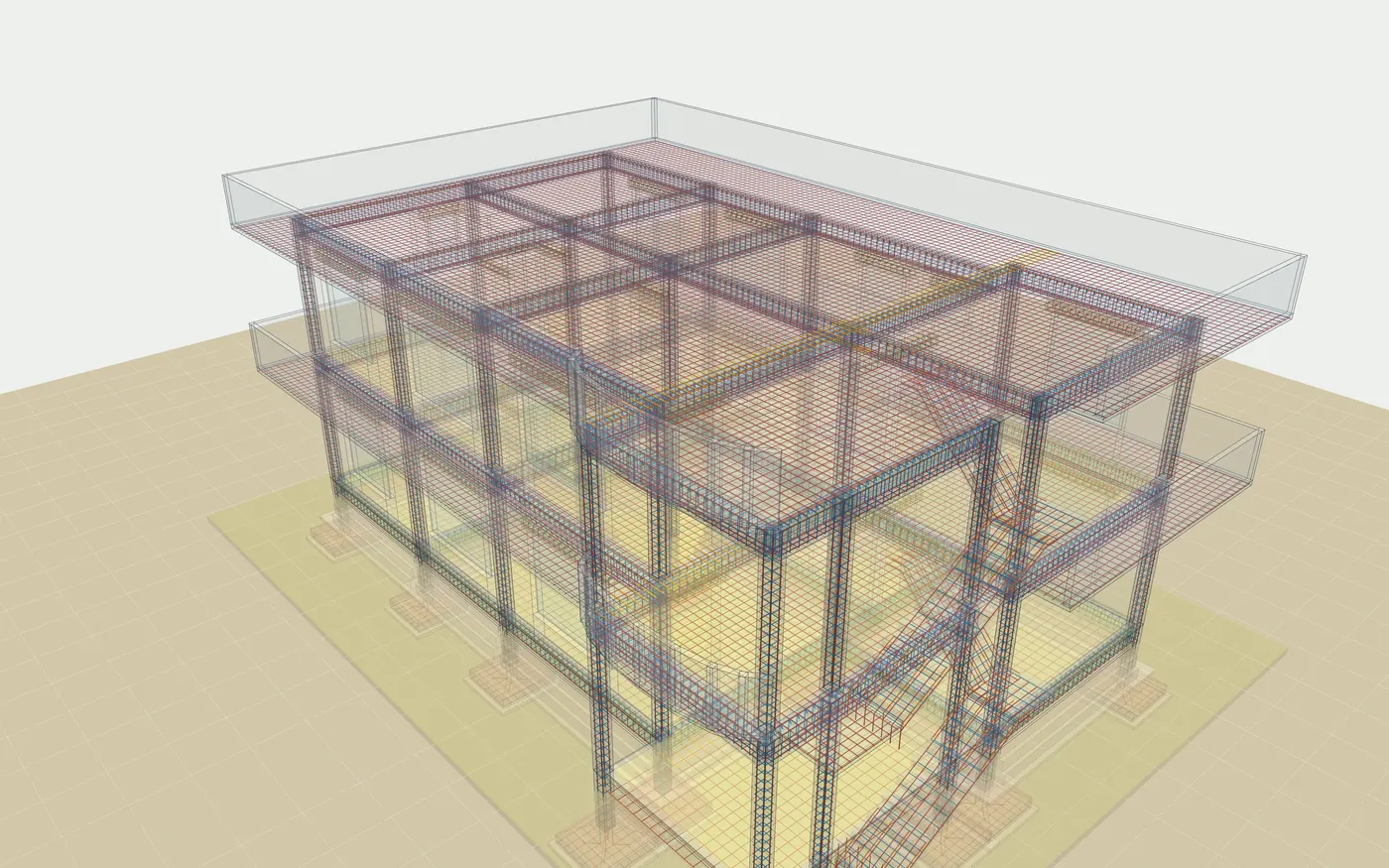
Columns, beams, slabs, footings, walls and staircases show their bars in the 3D model, with laps and anchorage, so a wrong bar is easy to spot.
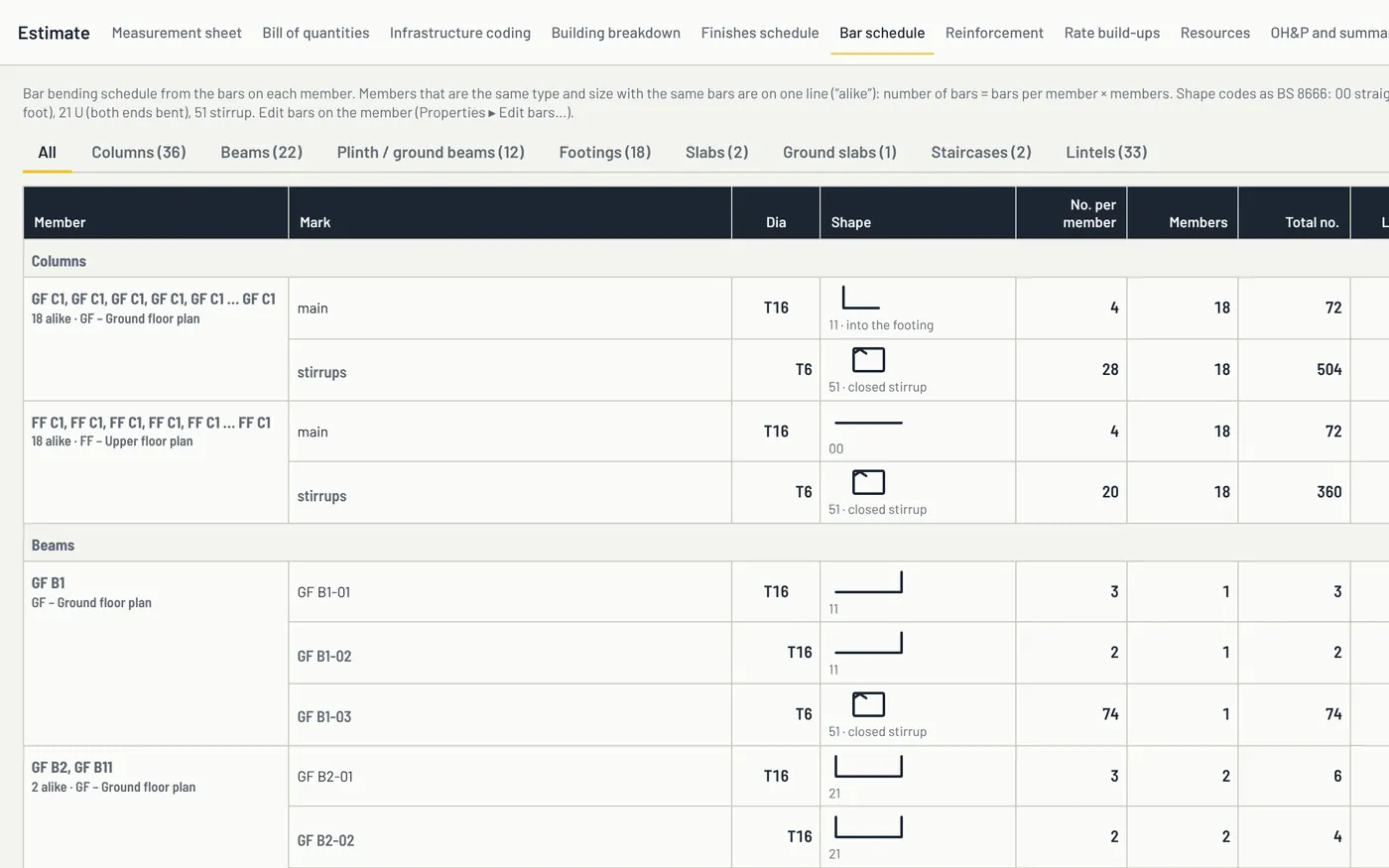
Member by member, with bar marks, shape codes, lengths and weights. Members that are the same are grouped, and stairs and lintels have their own tabs.
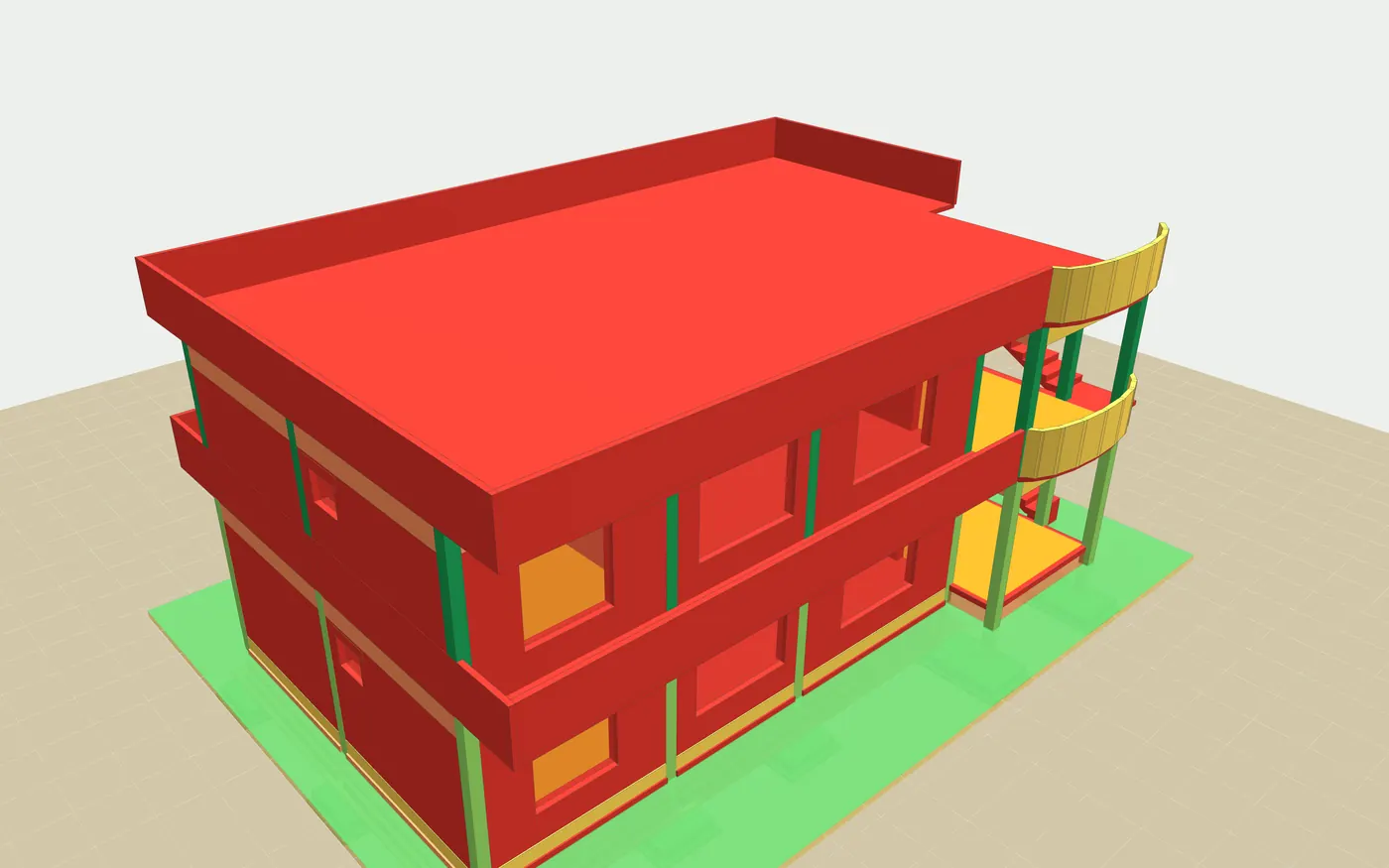
Every bill line is spread over the elements it came from, so the model shows where the money is. Switch to levels to see the building go up stage by stage.
Running a TapeLine training or CPD session? Every certificate carries a QR code and can be checked at mytapeline.com/verify.
See it work
Measure the plan, type what you want, see every level and every bar in 3D, follow it floor by floor, then price it.
Early feedback
Feedback from QS and estimating colleagues who have seen TapeLine. Names are left out at their request.
The automatic quantity take-off is what caught my attention. Having measurements organised from the drawings makes the whole process feel more straightforward.
I like the automatic item descriptions. Writing descriptions for every BOQ item can take time, so this feature could make the work easier.
Following a standard method of measurement is important in QS work. I like the idea of having the descriptions and quantities organised around that process.
Having the measurements and item descriptions together makes the take-off process easier to follow. It looks useful for day-to-day QS work.
Preparing quantities and then transferring everything into a BOQ can be repetitive. Bringing these steps into one workflow is a practical idea.
I find the combination of drawing measurements and automatic descriptions interesting. It could be helpful when learning how to prepare quantities systematically.
A well-organised take-off makes quantities easier to review. I’m interested in how TapeLine can connect measurement with BOQ preparation.
Start from the drawing and let the quantities follow.
Load your plan as a PDF, CAD drawing, scan or photo and move between pages.
Calibrate against a known dimension, in metres, millimetres or feet and inches.
Take off lengths, areas and counts, then review them in a bill of quantities with rates and OH&P.

Founder & CEO
Natha Mohamed M.M.Founder & CEO of TapeLine
Learned the trade on site, among the people who build.
Measured drawings, priced the work, kept projects on budget.
The same measuring, by hand, every week.
The take-off tool he wanted, now open to try.
TapeLine Certification · launching soon
Three levels, tested on real drawings and checked against a quantity surveyor's answer key. Every certificate can be verified with one scan.
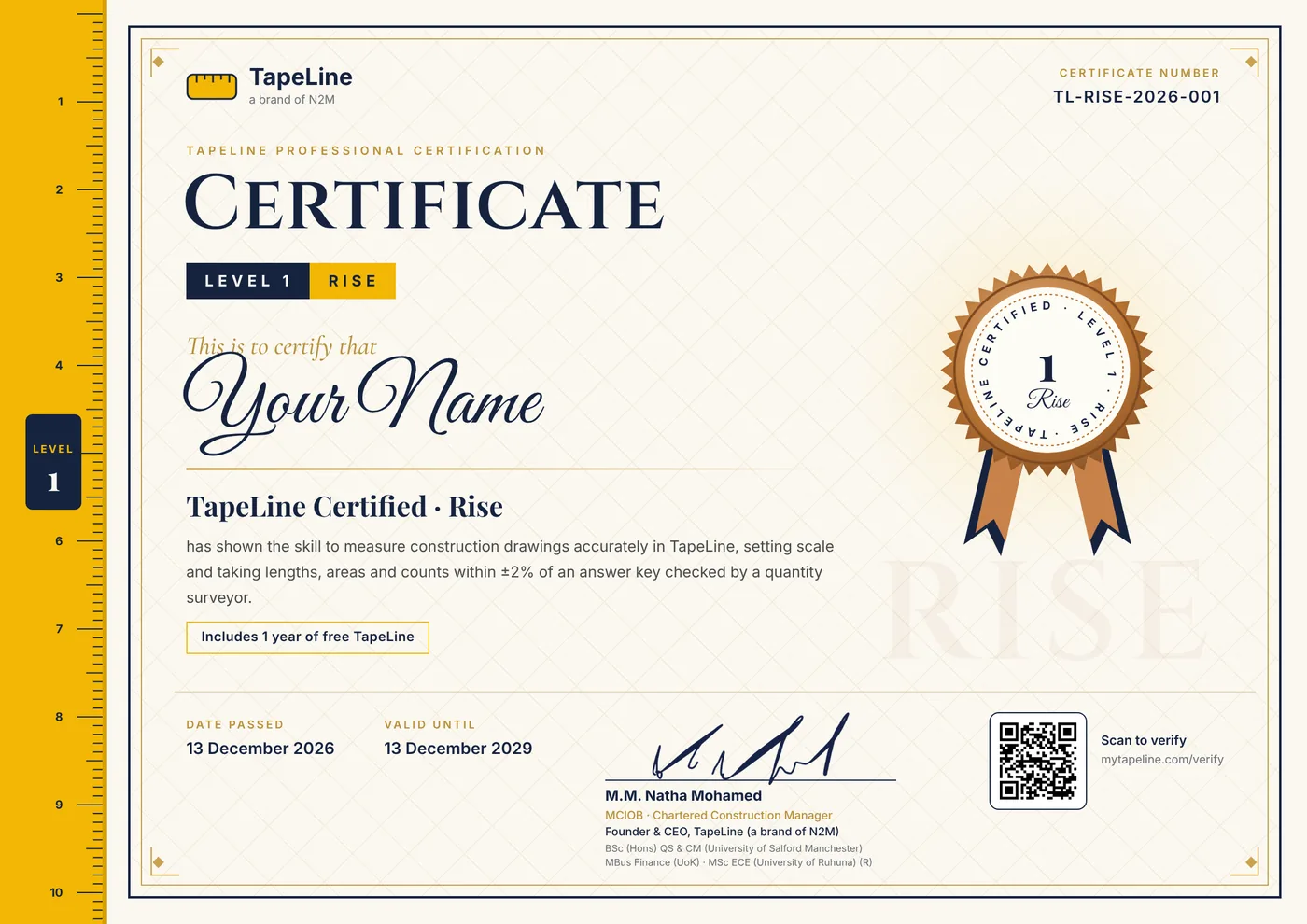 Level 1RiseAbout 4 hours · measure any drawing
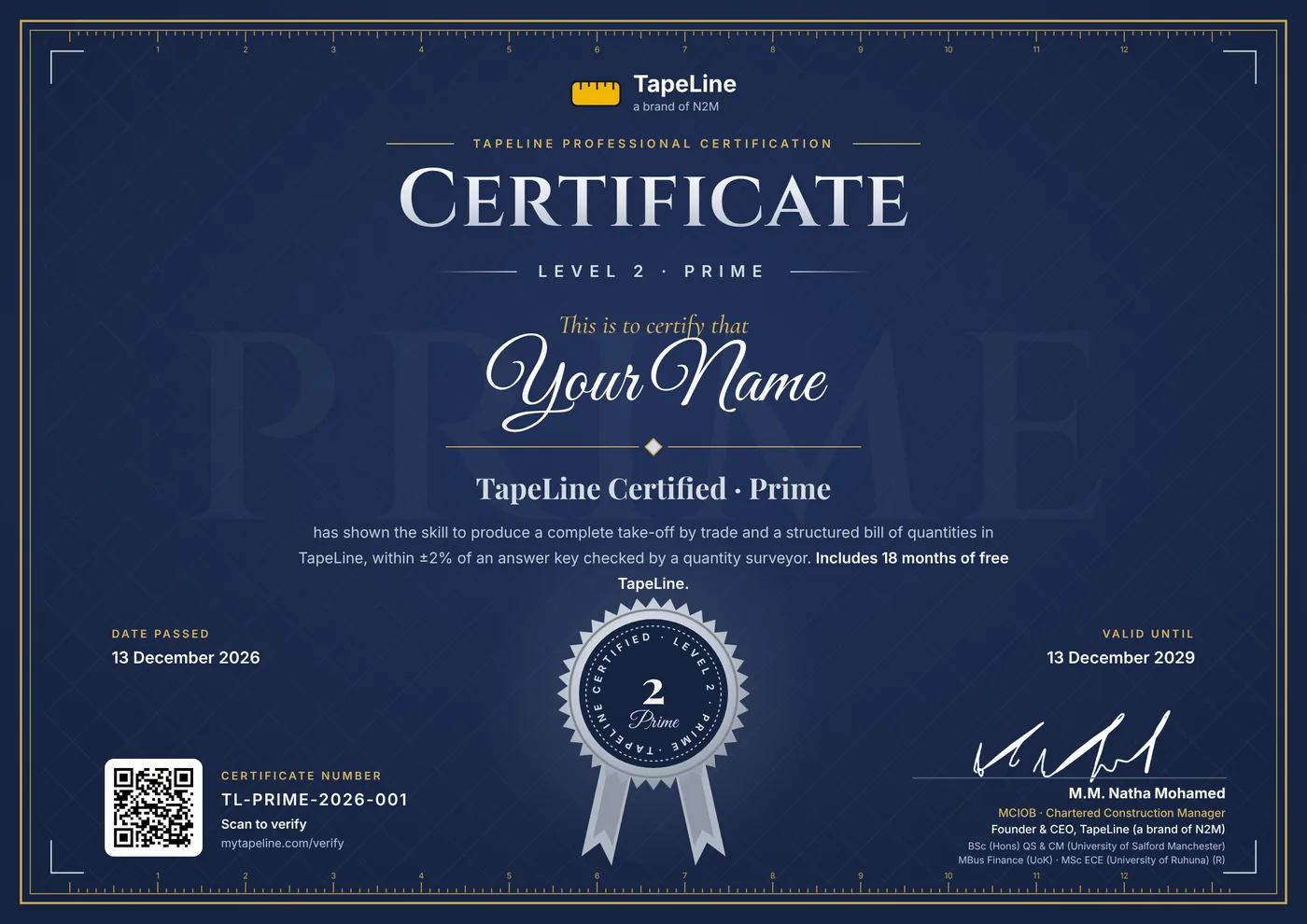 Level 2PrimeAbout 10 hours · full take-off and BoQ
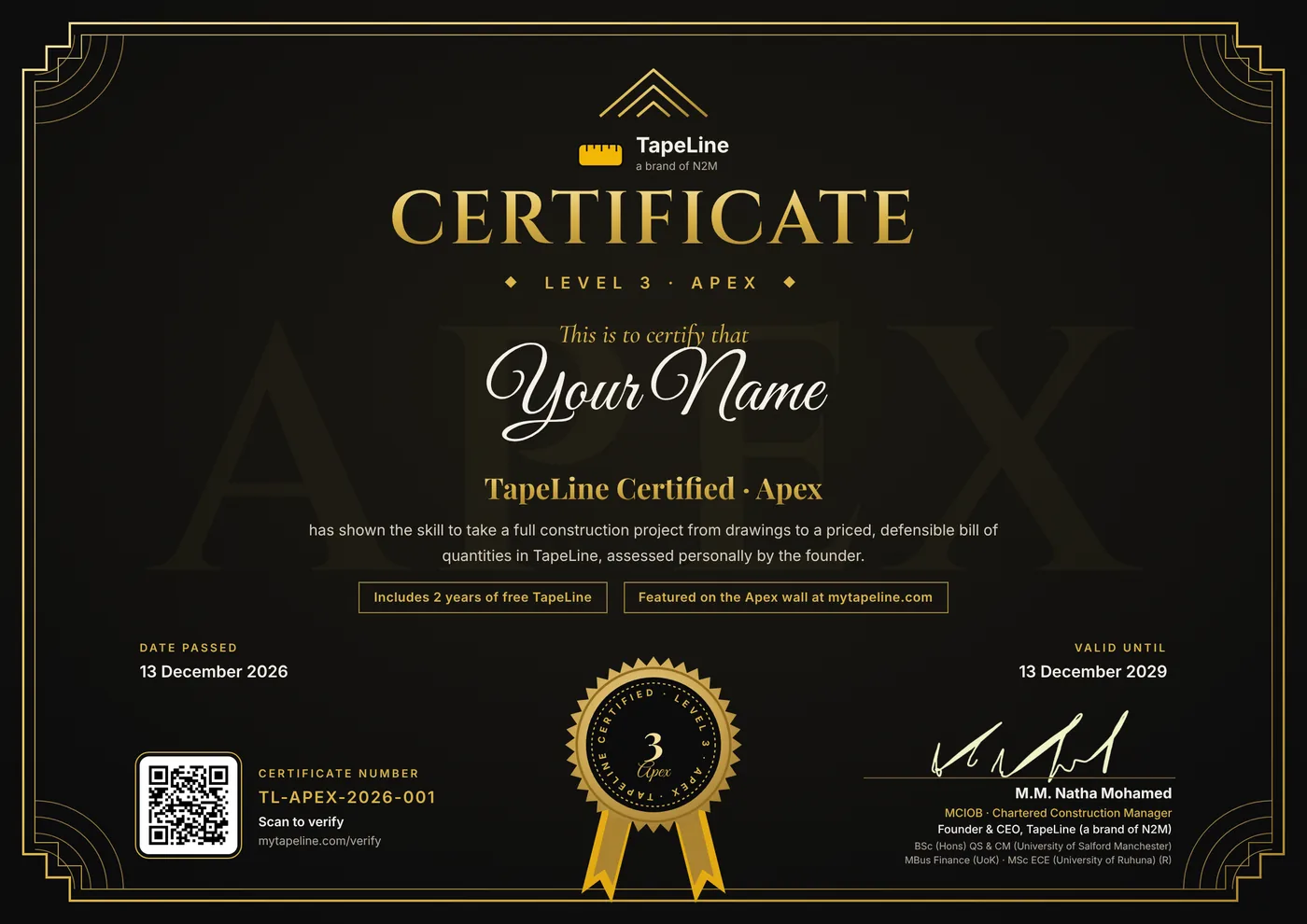 Level 3ApexAbout 16 hours · priced, defensible BoQ
The Apex wall
Every Level 3 Apex holder is featured on mytapeline.com with their photo and certificate number. The first places are open.
See the Apex wall
Coming soon · TapeLine contest
One drawing, one week, measured in TapeLine. The most accurate take-off wins certification and TapeLine time.
Founding prices for the first 100 people at each level, from $32 (AED 119, LKR 10,000).
Ready to try it? Get the free beta from the Microsoft Store, then request access and we switch it on for you.
Go deeper, one page at a time.
Free, plain-language guides for estimators and quantity surveyors.
Layout, columns and a filled-in bill of quantities.
Scale, measuring and checking on PDF and CAD plans.
What to check before you choose a tool.
From quantities to rates, overhead, profit and contingency.
The method, step by step.
kg per metre and metres per tonne.
The free beta is on the Microsoft Store. Join the waitlist to hear when the full version is ready. Questions? [email protected]
NewTapeLine certificationRise · Prime · Apex